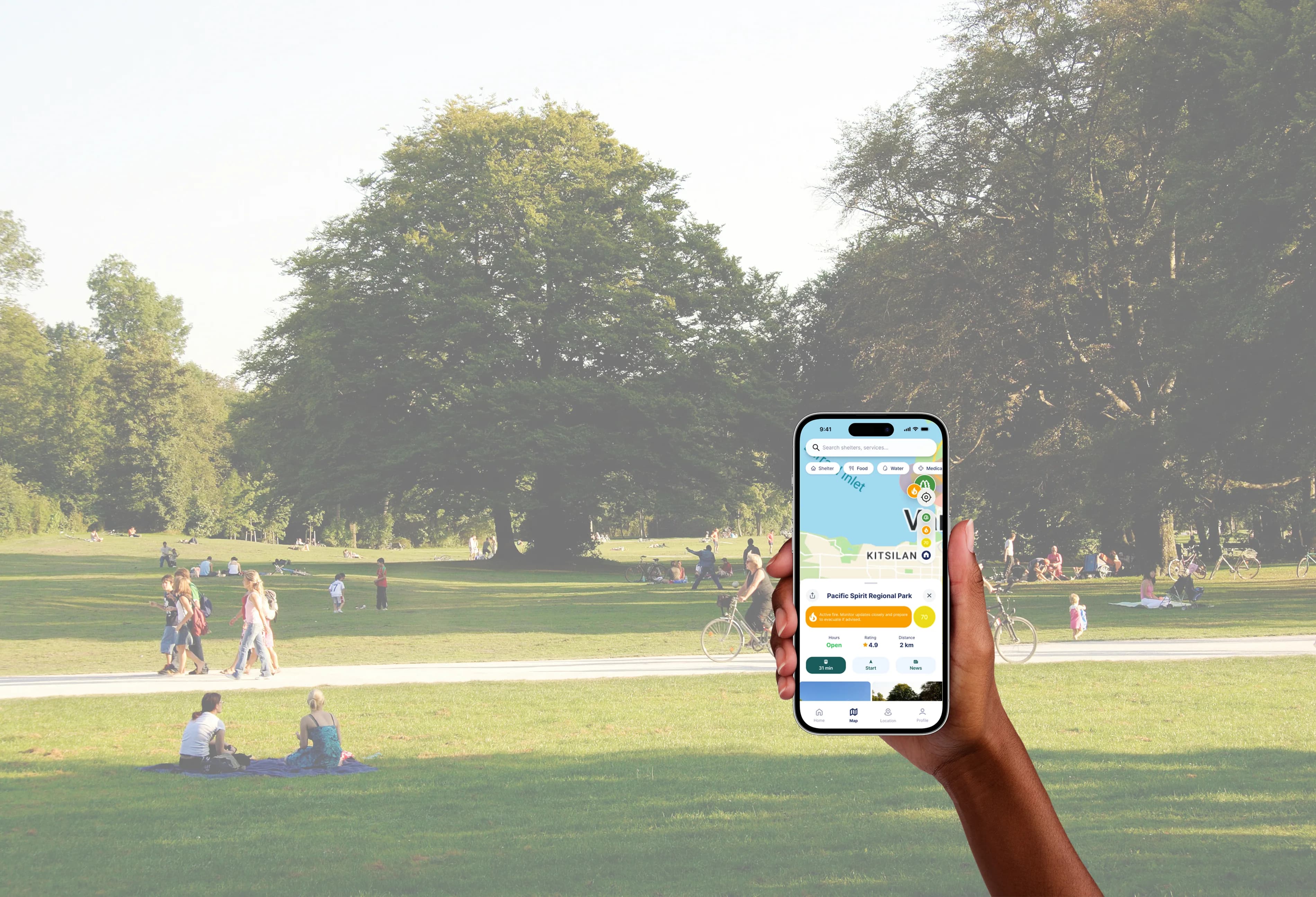
A wildfire alert app built to guide action, not just relay information.
My Contributions
UI/UX Design
Prototyping
User research
Usability testing
Duration
6 weeks
Team
2 UI/UX Designers
(Me)
1 Developer
1 Project manager
Tools
Figma
Maze
Google Forms
“It took me a whole day to actually know there was a wildfire.”
Overview
A school project about wildfire alerts, two rounds of testing, and a redesign I did on my own afterward.
The brief was open: design something that helps people, with no client attached. Our team (two designers, a developer and a PM) picked wildfire safety for BC residents, and we worked using the Lean UX method: guess, sketch, test, fix.
Everything in the tested sections is our course work. The redesign at the end is something I decided to do to continue to refine the app. The changes come from feedback we ran out of time to act on.
I was one of the two designers, and we split the screens between us. I built the MVP with my co-designer and tested it, talking to users directly, and helping write the interview and survey questions.

Problem
Plenty of wildfire information exists. Most of it leaves you to figure out what to do.
We started with a guess. BC residents can already find hazard maps, air quality readings and news alerts, but when smoke rolls in they still want a plain answer to three questions: what's happening near me, how serious is it, and what do I do next. The tools we looked at showed a lot of raw data and left that last question to the user.
So our hunch was that people don't need more information, they need to be told what to do with it: fewer things on screen, each one answering a question a worried person is asking. But it was only a hunch until we began talking to the people.
Discovery
None of the 12 people we surveyed had ever learned what to do in a wildfire.
We ran a survey with 12 people and sat down with two BC residents for longer interviews. We asked less about feature wish-lists and more about what they actually do, and how they feel.
12
Survey respondents
2
In-depth interviews
I don't know, actually. I feel like my first instinct would be to stay in the house. I need to look it up.

Information is not specific to my location, Information isn't updated often enough, Messages or alerts are unclear.

Maps with red spots showing it's here and here, that would be easier for me to understand.

when it comes to staying or evacuating, I don't know, actually…

Another interviewee only found out about a fire because a family member called her that evening. No app, no alert. The survey told the same story: none of the 12 had learned wildfire safety steps, and most rated their confidence about evacuating at 2 out of 5 or lower. Our hunch held, and it went deeper than clutter: a lot of people simply didn't know what to do.
People wanted a real-time map and called the tools they'd tried cluttered and confusing. "A simplified layout with large elements" came up more than anything else, and offline access and alerts for their exact location came up without us asking. Mostly, they wanted less to think about.
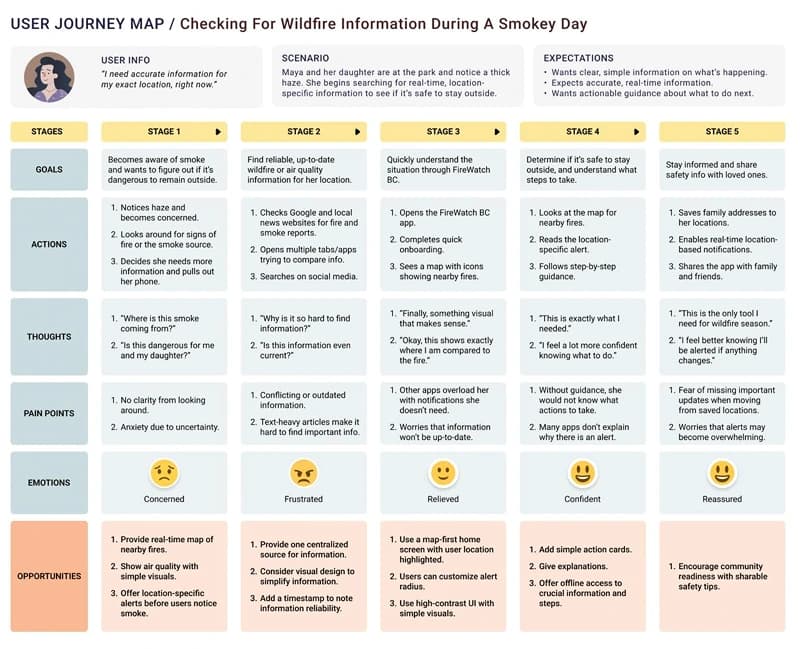
People cared about feeling reassured as much as about being accurate, so the brief changed from "show more information" to "show the right amount, in a way that still makes sense when someone's panicking." We pulled it together into a persona, Maya Thompson, built from our two interviewees (24 and 30, both in North Vancouver) and the survey. She's anxious, a bit distracted, and would rather be told what to do than shown everything.
Ideation
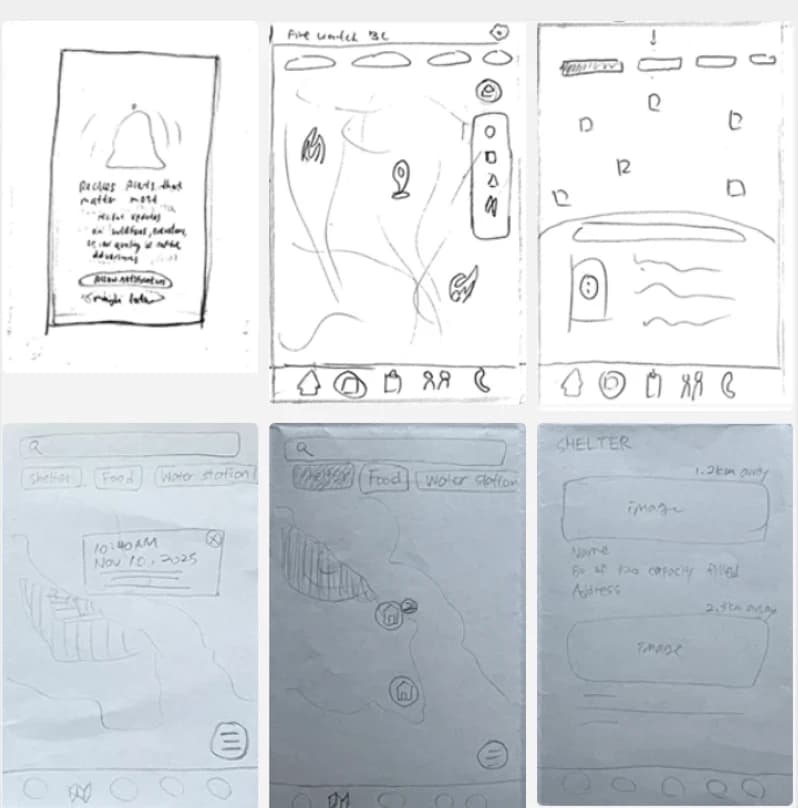
We each sketched screens on our own, then picked the clearest ones for the version we tested.
We ran a Crazy 8s session where the team each sketched specific screens of the app on our own. Then we put them side by side, which meant setting aside ideas we each liked for whichever screen answered those three questions most clearly.
Four principles kept coming up as we worked: contrast and emphasis, simplicity, accessibility, and consistency. You can see them in the tested screens: orange fire warnings against a muted palette, a single-column checklist instead of a dashboard, bigger tap targets after round 1, and a bottom navigation that stays put.
Contrast & Emphasis
The important stuff has to jump out, not compete with everything else on screen.
Simplicity
Fewer choices per screen, so the next step is obvious.
Accessibility
Big tap targets and readable text, for someone using one hand or in a hurry.
Consistency
Navigation that stays put, so stress doesn't come with a learning curve.
Decisions
In round 1, people got stuck in three places. In round 2, we checked whether our fixes helped.
From our combined sketches I built the MVP, along with my co-designer, in Figma, around an evacuation checklist and a map of fires and shelters. Round 1 was in person: we watched people use it and could ask why they hesitated. They got stuck in the same three places again and again.
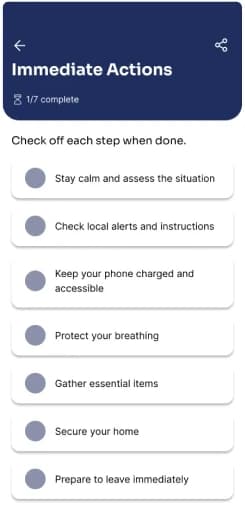
Evacuation guidance
Only the checkbox was tappable, not the whole row, and the steps weren't in order of urgency.
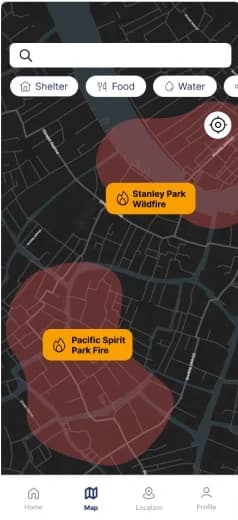
Map indicators
Nothing showed where you were, and tapping a fire label did nothing.
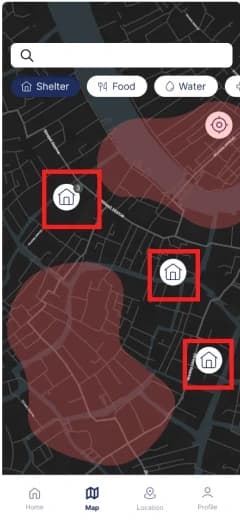
Shelter navigation
We put a small "3" on the shelter icon to mean three shelters nearby. No one read it that way.
For round 2 we switched to Maze, so people tested on their own with nobody watching: 5 participants, 7 tasks. We wanted to know if the fixes actually helped, not just whether they felt better to us. Only two tasks covered the round 1 fixes, so those are the ones I'm reporting.
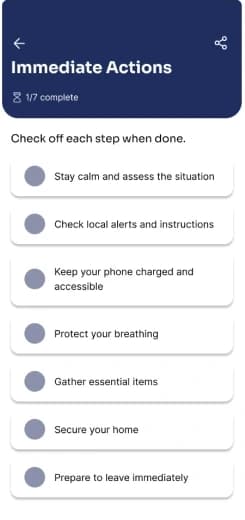
Evacuation guidance
Steps are in order of urgency, and the whole row is tappable.
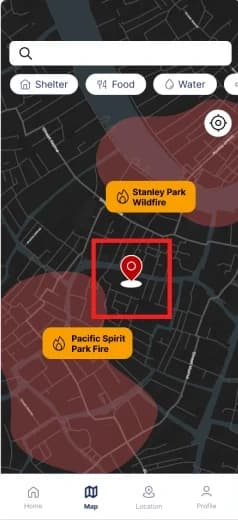
Map indicators
Your location now shows on the map, and fire labels open when you tap them.
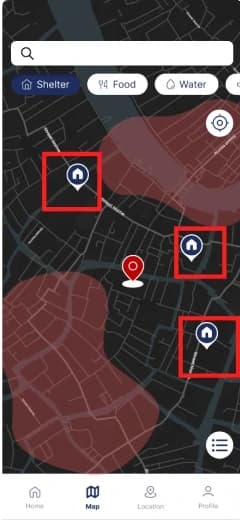
Shelter navigation
Tap "Shelters" to see every option nearby, or tap a pin to open that shelter on its own.
Find the nearest shelter
Success
100%
Drop-off
0%
Misclick
25%
Read the fire map and report what's happening nearby
Success
100%
Drop-off
0%
Misclick
9.1%
| Task | Success | Drop-off | Misclick |
|---|---|---|---|
| Find the nearest shelter | 100% | 0% | 25% |
| Read the fire map and report what's happening nearby | 100% | 0% | 9.1% |
Both tasks hit 100% success with nobody dropping off. The number I care about more is the misclicks: on the shelter task, a quarter of testers tapped the map first before finding the shelter list. They got to the right place, but the first move wasn't obvious. With only 5 people and no round 1 numbers to compare against, I can't say the fixes caused this, only that nobody got stuck.
Solo redesign
The feedback we ran out of time to work on.
Testing also gave us feedback we wrote down but never got to design for. Everything above is what we handed in for the course, but what follows is a redesign I did afterward on my own, based on leftover feedback. It hasn’t been tested yet, so read it as my answer to that feedback, not a proven fix.
Map legibility
The dark theme and busy road lines made the map hard to read. Testers told us that directly.
Visual trust
Testers said the UI felt dated, closer to 2000s software than something you'd trust in an emergency.
Familiar interactions
Map markers and tap targets didn't work like the map apps people already know. The team had planned to make the onboarding icon legend required reading, but it never shipped.
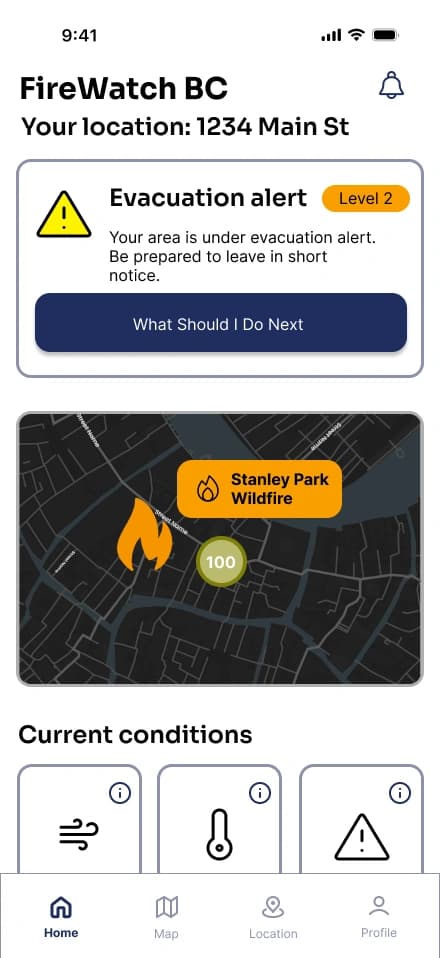
Before
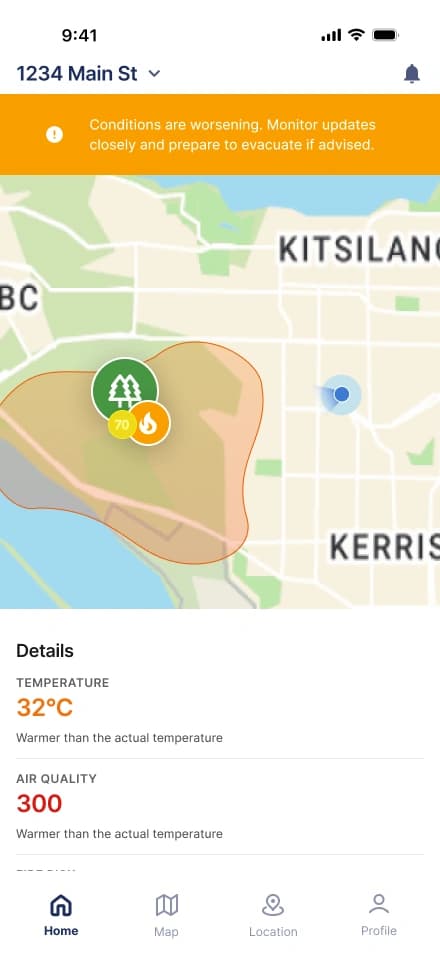
After
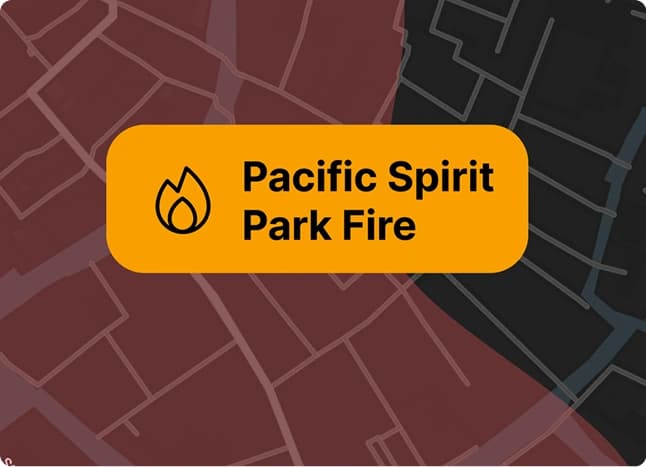
Same information (alert status, map, nearby fires), but without the dark theme and the boxed-in feel.
Before
After
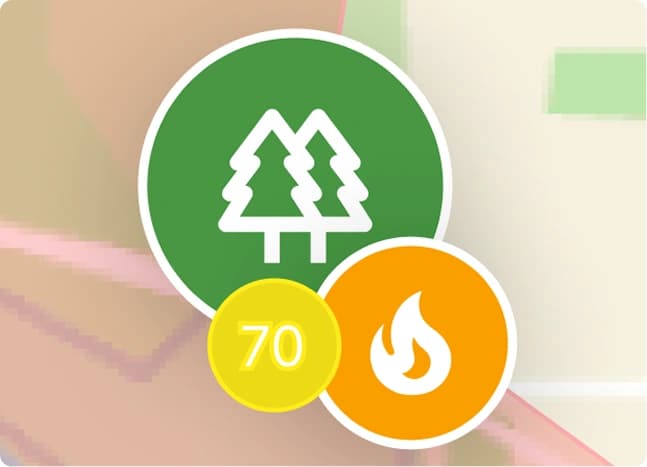
The old pin was a stock map icon that told you nothing. The new cluster shows what's there (park, air quality, active fire) before you tap.
Before
After
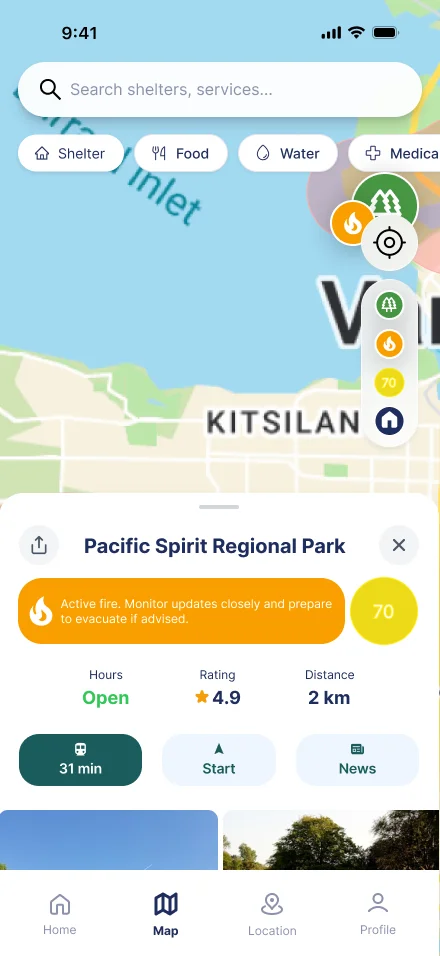
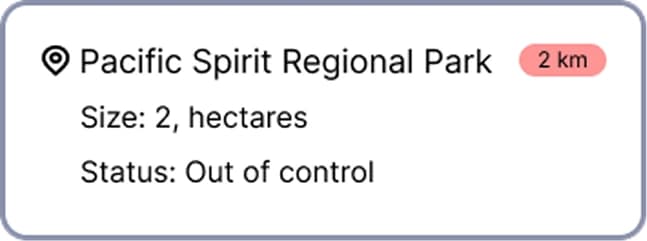
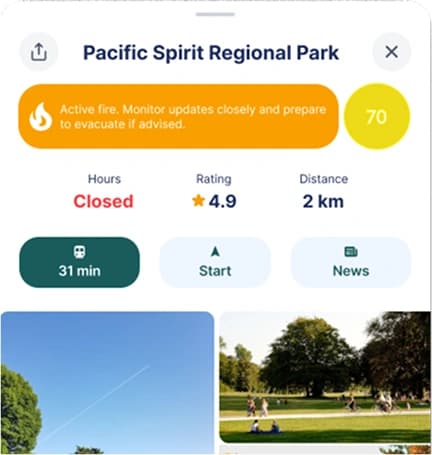
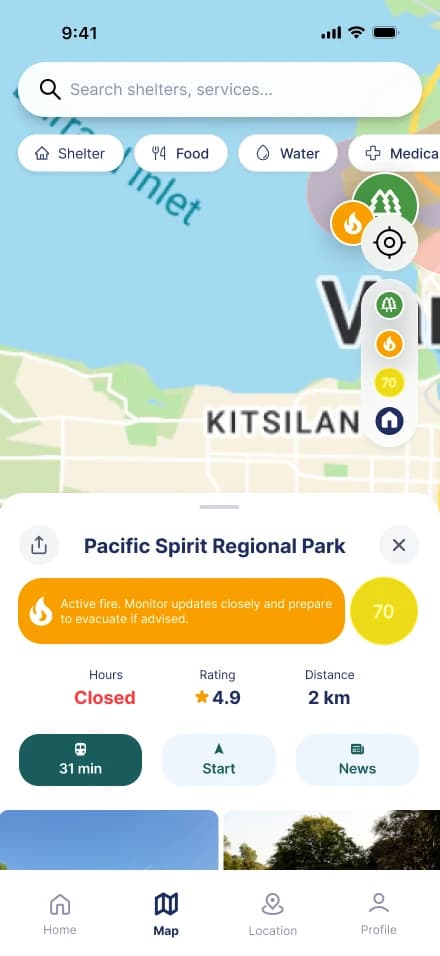
Tapping a marker used to give you three lines of stats. Now it opens something closer to a Google or Apple Maps listing: a warning banner, hours, rating, actions and photos. Something more familiar to the user.
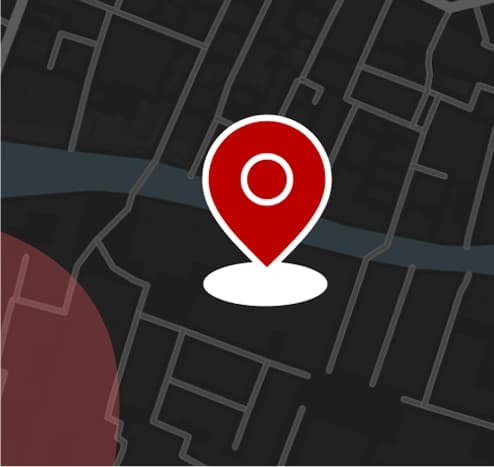
Before
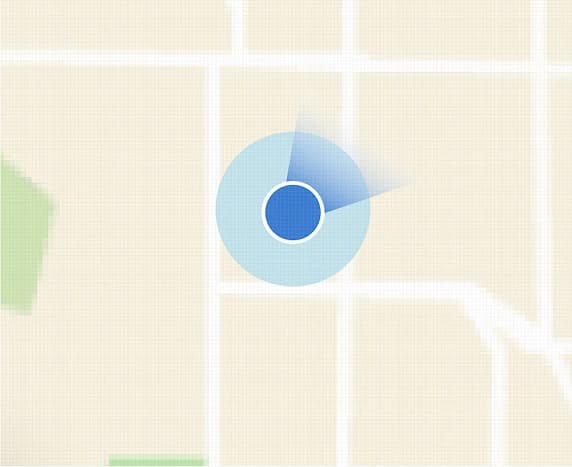
After
The current-location marker went from a generic red pin to the blue radar dot people know from other map apps as "this is me," and tells them where they are facing.
Here's how it comes together on the home screen and the map:
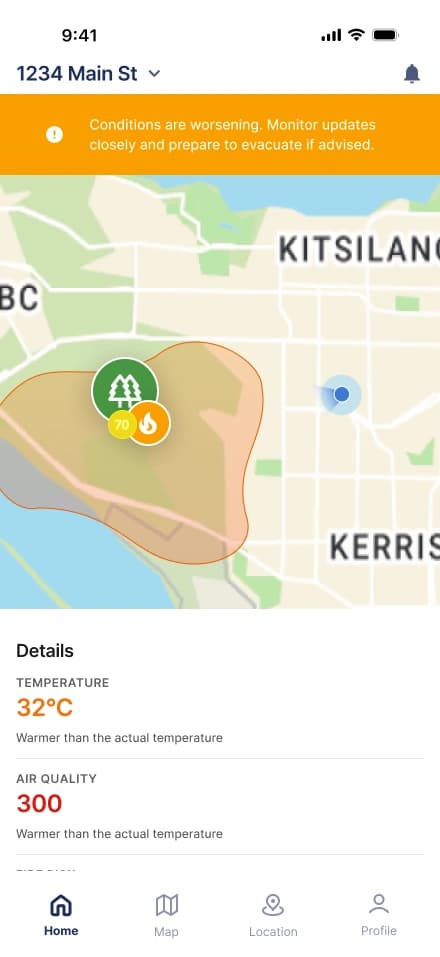
Home: current conditions
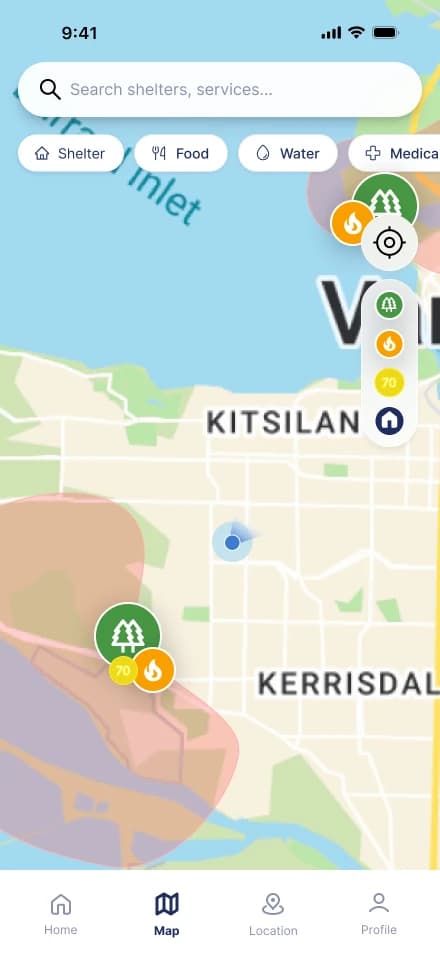
Map: fires and shelters
Map: fire detail card
Before
After
The same flow in the original design (left) and the redesign (right). Press play on either to step through it.
Reflection
Talking to people shaped the app more than sketching did.
Design principles look great on a slide, but they don't tell you where people get stuck. The interviews and survey showed the real problem was people not knowing what to do, not a missing feature, and testing showed exactly where a checkbox or a shelter icon lost them.
Splitting screens made consistency my job too.
We split the screens between us and pieced the tested version together from both our sketches. It worked, but consistency didn't come easy at first: tap targets, spacing and navigation had to be agreed on, not assumed. Next time I'd think of stricter rules before dividing up the screens, so we're reconciling decisions instead of fixing design drifts.
What I'd test next.
A cleaner interface isn't proof of a better one, and the redesign is the one part of this project I haven't tested. Next it goes through the same process: moderated first, then unmoderated in Maze. I'd start with the shelter task, since a quarter of testers tapped the map before finding the list. If that doesn't improve, the problem is the path from map to shelter list, not how it looks, and I'd fix that before touching more visuals. One of our interviewees took a whole day to find out about a fire. The real test of any version is whether someone finds out fast and knows what to do next.
Other works